
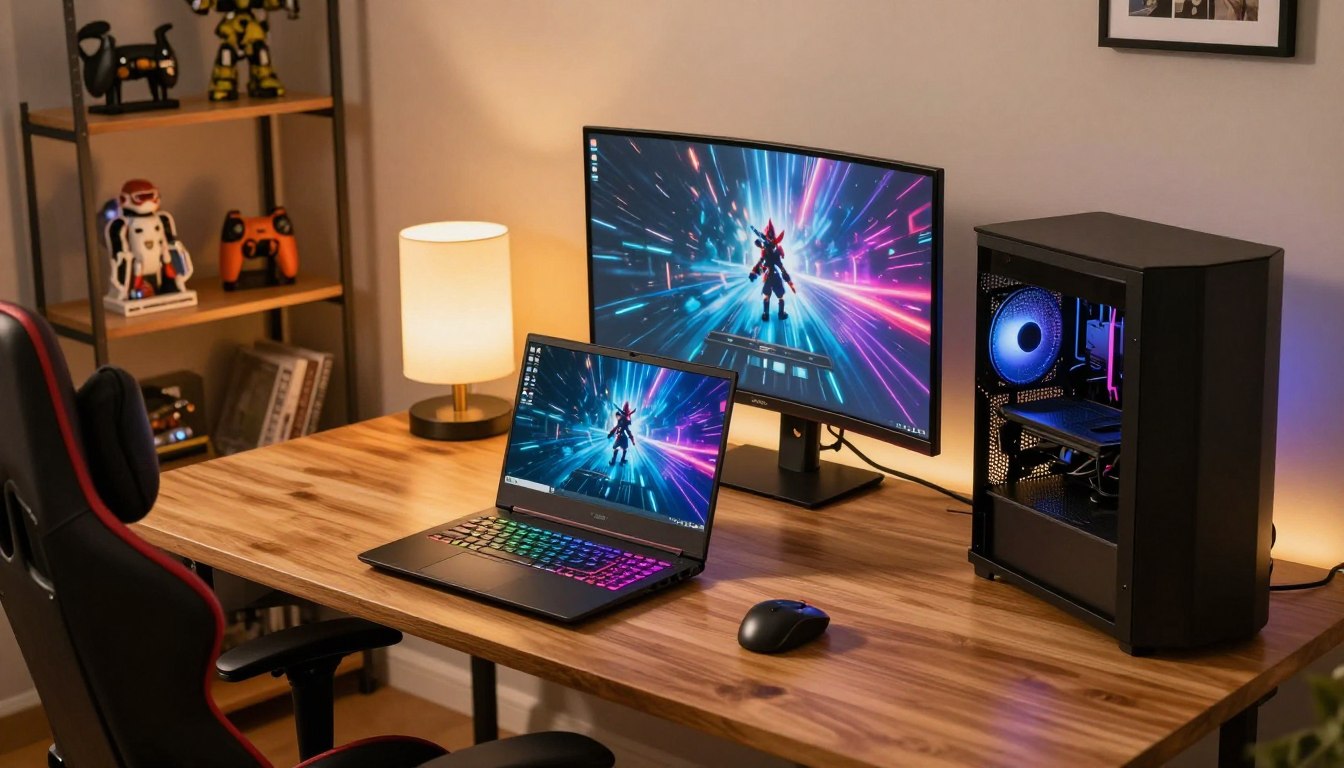

What Is Better a Gaming Laptop or a Gaming PC? A Complete Guide
A gaming desktop is usually the better value for a fixed home setup, while a gaming laptop is better when you need to take your games with you. The right choice depends on your budget, available space, and daily routine. A laptop can travel with you, but a desktop can put more of your money toward gaming hardware.
Both options involve trade-offs in cost, performance, cooling, power, and future upgrades. The details matter because a setup that works well at a permanent desk may be awkward in a shared room or on the road. This guide helps you match the form factor to the way you actually play today.
Key Takeaways
- A desktop is usually the better value when your gaming station can stay in one place.
- A gaming laptop suits travel, small rooms, and shared spaces.
- Compare the complete configuration, not only the GPU model name.
- Desktop upgrade options depend on the case, motherboard, and power supply.
- Include a monitor and peripherals in the desktop budget if you need them.
Start by deciding whether your gaming setup needs to travel or can stay in one place.
How Much Does Portability Change Your Setup?
If you move between rooms, homes or school and work, a laptop saves you from rebuilding a desktop setup each time. A gaming laptop combines the screen, keyboard, and trackpad in one device, so you can open it and play wherever you have a suitable surface. That convenience matters most when your setup cannot stay assembled.
A desktop needs a separate monitor, keyboard, and mouse, plus room for its tower. You can leave those parts connected at a desk, but moving them takes time and space. The pros and cons of a gaming laptop vs a desktop often come down to whether your playing space is fixed or changes during the week.
A gaming laptop keeps the screen and controls with you, while a desktop works best when its station can stay set up.
Gaming laptops differ in weight, so portability is not the same across every model. In 2026, the Acer Predator Triton 14 AI weighs 3.5 pounds and pairs an Intel Core Ultra 288V with an RTX 5070. The Alienware 16 Area-51 weighs 7.49 pounds and measures 1.12 inches thick.
That gap changes how comfortable a laptop feels in a backpack, especially when you also carry a charger, books, or work gear. A lighter model can make regular travel easier, while a larger laptop may be more practical for moving between rooms than commuting every day. Think about the full bag, not just the computer.
These situations tend to favor a laptop:
- Frequent travel between home, school, work, or other locations.
- Shared living space where a permanent gaming station is difficult to keep.
- No permanent desk, so you need to pack away your setup after playing.
- One device for school or work as well as gaming.
A desktop is the easier fit when you have a dedicated desk and want the monitor and controls ready every time. It takes more floor and desk space, but you avoid carrying the entire system around. Check the laptop’s actual carry weight, since gaming laptops can differ by several pounds.
What Is Better a Gaming Laptop or a Gaming PC for Performance and Value?
For the same gaming budget, a desktop usually gives you more performance, while a laptop’s advantage is that you can take it with you. For a fixed setup, a gaming desktop usually delivers stronger sustained performance and value. A gaming laptop makes more sense when portability is essential, even if you spend more for comparable gaming hardware.
Compare the complete configuration, not just the GPU name, when judging performance. Graphics capability depends on the GPU, its memory, and how much power the laptop allows it to use. That last factor can make two laptops with the same GPU model perform differently.
Gaming Laptop vs Desktop Performance Comparison
A gaming laptop vs desktop performance comparison usually favors a desktop when both systems serve the same stationary gaming role. Desktop hardware can draw on a larger system design, and desktop configurations often offer more performance for the money. The laptop’s advantage is the complete, portable form, not a universal performance win.
In 2026, NVIDIA’s laptop lineup has six tiers: RTX 5090, RTX 5080, RTX 5070 Ti, RTX 5070, RTX 5060, and RTX 5050 Laptop GPUs. The RTX 5090 Laptop GPU has 24GB of GDDR7 memory. The RTX 5070, RTX 5060, and RTX 5050 Laptop GPUs each have 8GB of GDDR7.
Those names and memory amounts help describe a laptop’s graphics hardware, but they do not tell the whole story. GPU wattage is the amount of electrical power a laptop allows its graphics processor to use, which can affect its performance. The allowed GPU wattage helps explain why laptops carrying the same GPU model can produce different results.
Do the Same GPU Specs Mean the Same Speed?
A gaming laptop vs gaming PC with the same specs can still deliver different gaming performance, especially when the GPU model name hides differences in power limits. Two laptops with the same GPU model can perform differently because the manufacturer’s allowed GPU wattage affects performance. Compare full configurations and independent test results when available.
A desktop example is the Corsair Vengeance a7500, tested with an AMD Ryzen 7 9800X3D, RTX 5070 Ti, 32GB of DDR5-6400 RAM, and a 1TB PCIe 5.0 SSD. The tested Corsair Vengeance a7500 made most tested games playable at 4K in its 2026 review.
That result included games such as Shadow of the Tomb Raider and Red Dead Redemption 2. It shows what a capable desktop configuration can do, not a guarantee that every system with an RTX 5070 Ti will perform the same. Game settings, the rest of the hardware, and the target resolution all matter.
Compare laptop GPU wattage and the full configuration before treating two laptops with the same GPU label as equivalent.
What Does a Gaming Laptop Cost at Each Performance Tier?
A new RTX 50-series gaming laptop starts at roughly $1,000 at the entry level, and high-end configurations climb well beyond that. The exact configuration matters: an entry-level graphics chip and a basic display serve a different buyer than a premium system built for demanding games. In 2026, RTX 5080 and RTX 5090 laptops can cost far more than the roughly $1,000 entry point.

These price tiers are useful reference points, not fixed prices for every laptop with a similar GPU. Screens, memory, storage, processors, and build design vary between models. A laptop’s value depends on whether its full set of specs fits the games and tasks you care about.
Entry-Level RTX 50-Series Laptops
Tom’s Hardware lists the MSI Katana 15 HX at $999.99 in 2026. It has an Intel Core i7-14650HX, an RTX 5050 Laptop GPU, and a 15.6-inch display with a 1920 × 1080 resolution and 144 Hz refresh rate.
That combination gives you a concrete example of the entry-level price point. A 1080p display keeps the target resolution clear, while the listed graphics chip marks the laptop’s performance class. Check the memory and storage in the exact listing, since similarly named laptops can ship with different configurations.
A sale-priced alternative in 2026 is the Gigabyte Aorus 16X at $1,599. Its listed configuration includes an Intel Core i7-14650HX, an RTX 4070 Laptop GPU, 32GB of RAM, and 1TB of storage. That makes it a different kind of value proposition from an entry-level RTX 5050 laptop.
Premium and Lighter Laptop Options
At the premium end, Tom’s Hardware lists the Razer Blade 18 starting at $3,999.99 in 2026. Its tested RTX 5090 Laptop GPU configuration costs $5,399.99. The 18-inch dual-mode display runs at 3840 × 2400 at 240 Hz or 1920 × 1200 at 440 Hz.
That display gives you a choice between a higher target resolution and a higher refresh rate at a lower resolution. It also illustrates how premium graphics and display features can raise a laptop’s price. Do not assume every model in a GPU tier costs the same; the screen and the rest of the components can change the total substantially.
Some shoppers may value a lighter system more than a large premium display. Others may want higher-end specs for demanding games or everyday creative work. Compare the exact GPU, display and configuration in the listing, not just the laptop’s model name.
How Much Does a Gaming Desktop Cost, and What Can It Play?
A gaming desktop usually costs less than a laptop for comparable performance, but the total depends on whether you need to buy the display and peripherals too. Existing accessories can change the math, since a tower by itself does not include a monitor, keyboard, or mouse. Desktops usually offer better performance per dollar, but count the whole setup when comparing prices.
For a quick view of desktop price points and intended gaming use, these listings span budget 1080p play through premium systems. The labels describe how the systems are positioned, rather than promising identical results in every game. The games you play and the target resolution still shape what hardware you need.
Best Gaming PC Options by Resolution and Budget
| Desktop option | Listed price | Gaming use |
|---|---|---|
| CyberPowerPC Gamer Xtreme | $999.99 | 1080p |
| CyberPowerPC Gamer Xtreme MA-01 | $2,229.99 | 1440p |
| Velocity Micro Raptor Z55i | $2,499 | 4K |
| Maingear MG-1 MK. II | $9,869 | Cost-no-object category |
PCMag lists the CyberPowerPC Gamer Xtreme at $999.99 at Costco in 2026 as a budget desktop for 1080p gaming. Tom’s Hardware lists a different CyberPowerPC Gamer Xtreme at $1,099.99 in 2026, also positioned for 1080p gaming. Those separate listings show why you should compare the exact components and seller, not only the product name.
The CyberPowerPC Gamer Xtreme MA-01 is listed at $2,229.99 for 1440p gaming, while PCMag positions the Velocity Micro Raptor Z55i at $2,499 for 4K. At the high end, the Maingear MG-1 MK. II is listed at $9,869 in the cost-no-object category. A premium price is not necessary for every gamer or every target resolution.
Building or Buying an Entry-Level Desktop
A self-built desktop can also offer a clear view of where a budget goes. Tom’s Hardware’s approximately $900 gaming PC build lists an Intel Core Ultra 250K Plus, AMD Radeon RX 7600, 16GB of DDR5-6000 RAM, and a 512GB SSD. Its listed total is $924, with RAM pricing excluded from that total.
The build should deliver solid 1080p gaming performance in 2026. Its 16GB of RAM may require you to close unnecessary applications in memory-intensive games. Include the excluded memory cost when comparing the build with a complete prebuilt system.
For a prebuilt option, Tom’s Hardware lists the Asus ROG G700 with an Intel Core Ultra 7 265KF, an RTX 5070, 32GB of DDR5-4800 RAM, and a 2TB PCIe 4.0 SSD. That component list helps you compare a ready-made tower with a build you assemble yourself.
For a fair comparison, add the monitor and accessories to the desktop budget before judging the laptop’s price.
Which Parts Can You Upgrade Later?
A desktop is usually the easier system to upgrade, but the exact parts you can change depend on the case, motherboard and power supply. That flexibility is not unlimited: a replacement part must physically fit and work with the other components. Check compatibility before buying parts, especially a replacement GPU.
Desktop cases generally make it easier to reach and replace parts such as the graphics card, RAM, storage, and power supply. A laptop’s upgrade options depend on its model and are often limited to RAM or storage. Some laptops have more replaceable parts, so check the exact design rather than assuming every component is fixed.
The MSI Katana 15 HX is one example with slotted RAM, an SSD, and a Wi-Fi card in 2026. Those parts are upgradeable, but that does not mean its processor or graphics hardware can be swapped like desktop components. A laptop’s service manual can show which parts are accessible and supported.
Before planning a desktop upgrade, check these four details:
- GPU dimensions and power needs.
- RAM slots and supported capacity.
- SSD type and available slot.
- Case and motherboard compatibility.
The Asus ROG G700’s 850W power supply provides enough power for some future GPU upgrades. By contrast, the CyberPowerPC Gamer Xtreme’s power-supply wattage may limit future upgrades. A large PSU rating alone does not guarantee a new component will fit or work with the motherboard.
That is why upgrade planning starts with the whole system, not one appealing part. A card may need more room than the case offers, or a different power connector than the supply provides. Check the power supply and physical clearance before buying a replacement GPU.
How Do Cooling and Long Gaming Sessions Differ?
Cooling matters most when a game keeps the CPU and GPU under load for a long session. Sustained performance depends on how well a system moves heat away from those parts. If heat limits a component, thermal throttling can reduce performance to protect the hardware.

Thermal throttling is a protective response to high temperatures: the system lowers performance to manage heat. It can happen during demanding workloads, but it does not mean every gaming laptop overheats or every desktop stays cool. The design, workload, airflow, and room conditions all affect what you experience.
Desktop Cooling and Airflow
A desktop has more room for airflow and a wider range of cooling choices. Depending on the build, the CPU may use an air cooler or liquid cooling. Case fans can also move warm air out, while larger cases give builders more space to arrange fans and components.
That flexibility does not guarantee a quiet system. Fan noise depends on the parts, fan settings, and how hard the game pushes the hardware. A powerful desktop can get loud under load, while a well-planned system may keep noise more comfortable.
Keep the tower’s vents clear of walls, curtains, and clutter. Dust buildup can also reduce airflow over time, so inspect the intake areas as part of routine care. Good placement helps the cooling system do its job without changing the parts inside.
Laptop Cooling in a Compact Chassis
A gaming laptop has to fit its cooling system into a compact chassis. That design leaves less room for large coolers and makes replacement harder than on a desktop. The fans and vents are built for that particular form, so the laptop needs clear space around its air openings.
Fan noise varies with the system and workload. A laptop may become more audible when a game keeps its CPU and GPU busy, but the sound level differs by design. A cooling pad can raise the laptop or add airflow beneath it, but it cannot replace an inadequate internal cooling design.
Do not judge a system only by a brief benchmark or a few minutes of play. A long gaming session reveals whether performance stays steady and whether fan noise suits your room. Keep vents clear and judge cooling from sustained gaming behavior, not a short burst of performance.
How Much Power Does a Gaming Laptop or Desktop Use?
Gaming desktops generally draw more power than gaming laptops under load, but their PSU rating is not the amount they constantly consume. Actual draw changes with the workload, the components, and whether the system is gaming or doing lighter tasks. A power supply’s wattage is its maximum power-delivery capacity, not constant electricity use.
These typical ranges help compare everyday use with gaming. A desktop’s normal-task figure includes its monitor, while the gaming figures depend on the system and the game. Treat the values as ranges rather than a fixed draw for every computer.
| System and workload | Typical power range | What the range includes |
|---|---|---|
| Laptop, normal tasks | 30W-70W | Normal use |
| Gaming laptop, gaming | 120W-300W | Workload and components affect draw |
| Desktop, normal tasks | 100W-300W | Includes the monitor |
| Gaming desktop, gaming | 300W-800W or more | Workload and components affect draw |
Anker’s 2026 guide gives gaming laptops a typical range of 120W to 300W and gaming desktops a range of 300W to 800W or more. For normal tasks, it gives laptops 30W to 70W and desktops, including a monitor, 100W to 300W. These estimates show why the task matters as much as the system type.
Electricity cost also depends on how many hours you use the computer and your local electricity rate. A desktop that draws more power during a game may still use less energy over a month if it runs fewer hours. Your play schedule matters when estimating a bill.
One specific build illustrates why a PSU rating and actual draw are different. Tom’s Hardware estimates that its approximately $900 gaming PC build should not peak over 400-450W at worst in 2026. That estimate applies to that configuration, not every gaming desktop.
Estimate electricity cost from actual use time and your local rate, not from the PSU label alone.
Which Setup Fits Your Gaming Habits Best?
If you play mostly at home and want the best value, choose a desktop; if you carry your system regularly, choose a gaming laptop. Your real routine matters more than a general rule about which form factor is better. Choose for where you play most often and how much portability you actually use.
A desktop suits a fixed home station, stronger value, and future component changes. A gaming laptop suits travel, limited space, or one device for school or work and gaming. Your target resolution also affects the graphics capability you should budget for: 1080p, 1440p, and 4K place different demands on the GPU.
Choose a desktop for a fixed home station and a gaming laptop when regular travel or limited space matters more.
Before you settle on a specific setup, write down these four details:
- How often the device needs to travel.
- Whether you already have a monitor and desk.
- Your target resolution and the games you play.
- Whether future upgrades matter to you.
Choose One Device for Gaming and Everyday Use
A gaming laptop can make sense when you need one computer for classes, work, and games. You can carry it between locations, then connect it to an external monitor, keyboard, and mouse at home. That turns the laptop into a desktop-style setup without requiring a second gaming system.
A desktop is a stronger fit if you already have a separate portable computer for everyday tasks. You can keep the gaming station ready at home and avoid paying extra for portable gaming power. Consider whether you need one capable computer or two devices with different jobs.
Consider a Hybrid Home and Travel Setup
A hybrid setup can pair a desktop at home with a basic portable computer for travel. This keeps the desktop focused on gaming while the portable device handles notes, browsing, or schoolwork away from home. It can be a sensible option if you rarely need demanding games on the road.
The other hybrid choice is a gaming laptop connected to desktop-style peripherals at home. An external monitor gives you more screen space, while a separate keyboard and mouse can make longer sessions more comfortable. You still have one system to carry when you leave.
Write down your target resolution and the places you expect to play before choosing a specific configuration.
Conclusion
The right choice is the one that fits where you play and how much of your budget you want going to performance versus portability. A desktop is usually the value-focused home choice, while a gaming laptop is the mobility-focused option. Your best decision reflects your actual space, routine, and plans for the system over the next few years.
Set a total budget before comparing models. Include any desktop monitor, keyboard, or mouse you still need, then compare complete configurations rather than headline specs. Set your full budget, including any peripherals you need, and compare complete systems before you buy.
FAQ
Is a $600 gaming PC worth it?
A $600 gaming PC can be worth it as a budget 1080p tower, especially if you already own a monitor and peripherals. At that price, you may need to choose entry-level or used parts and lower game settings. Check the exact graphics card, processor, memory, and storage before buying, since the price alone cannot tell you which games will run well.
Is $1000 enough for a gaming PC?
Yes, $1,000 can be enough for a budget 1080p gaming desktop. A CyberPowerPC Gamer Xtreme listing at $999.99 in 2026 is positioned for 1080p gaming. Check whether the listing includes a monitor, keyboard, and mouse, because those items can add to the total if you are starting without peripherals.
Is a $500 laptop good for gaming?
A $500 laptop can handle lighter games and older titles, but it is not a reliable choice for demanding new games at high settings. Many laptops in this price range use integrated graphics or other entry-level hardware. Check the specific GPU, memory, and cooling design, then match your expectations to the games you want to play.
Is $2000 enough for a gaming PC?
Yes, $2,000 can fund a capable gaming desktop, particularly if that budget goes mainly toward the tower. The final performance depends on the components and whether you are targeting 1080p, 1440p, or 4K gaming. If the budget must also cover a monitor and peripherals, leave room for those items before choosing the tower’s parts.
Can a $500 PC run Fortnite?
A $500 PC may run Fortnite with suitable hardware and reduced settings, but the exact configuration matters. The processor, graphics card, and memory all affect how the game performs. Do not rely on the price alone or expect a particular frame rate without checking the full hardware details and the settings you plan to use.
What is the no. 1 gaming PC?
There is no single best gaming PC for every player, because budgets, target resolutions, games, and portability needs differ. Start by deciding whether you need a desktop or laptop and which games you play most. Then compare complete systems that suit your target resolution, rather than choosing a model based only on a ranking or brand.
How much does a good gaming PC cost?
About $1,000 is a useful reference point for a budget 1080p gaming desktop, while higher-resolution and premium systems cost more. A tower’s listed price may not include a monitor, keyboard, or mouse. Add any peripherals you need before setting a total budget, then compare the graphics card and other components in each complete system.
Is 32 GB RAM overkill for gaming?
No, 32GB of RAM is not excessive if you game while running other applications. A 16GB system can still work for gaming, but memory-intensive games may require you to close unnecessary apps. Check the game’s needs and your multitasking habits before deciding how much memory to buy, and confirm that the system supports your planned capacity.

 By
By